Why choose MultiGroupPoster for your publishing workflow?
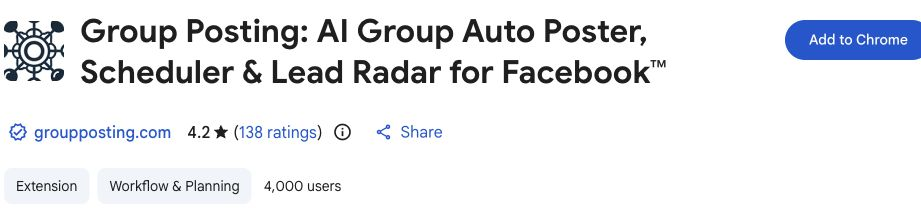
MultiGroupPoster reports 14,000+ users of the app. Its published app-user figure is separate from the Chrome Web Store’s rounded count of 4,000 users. Both store listings displayed 4,000 users when checked on 10 November 2026. The rating in this comparison is higher for MultiGroupPoster: 4.9/5 from 125 ratings, versus 4.2/5 from 138 for Group Posting.
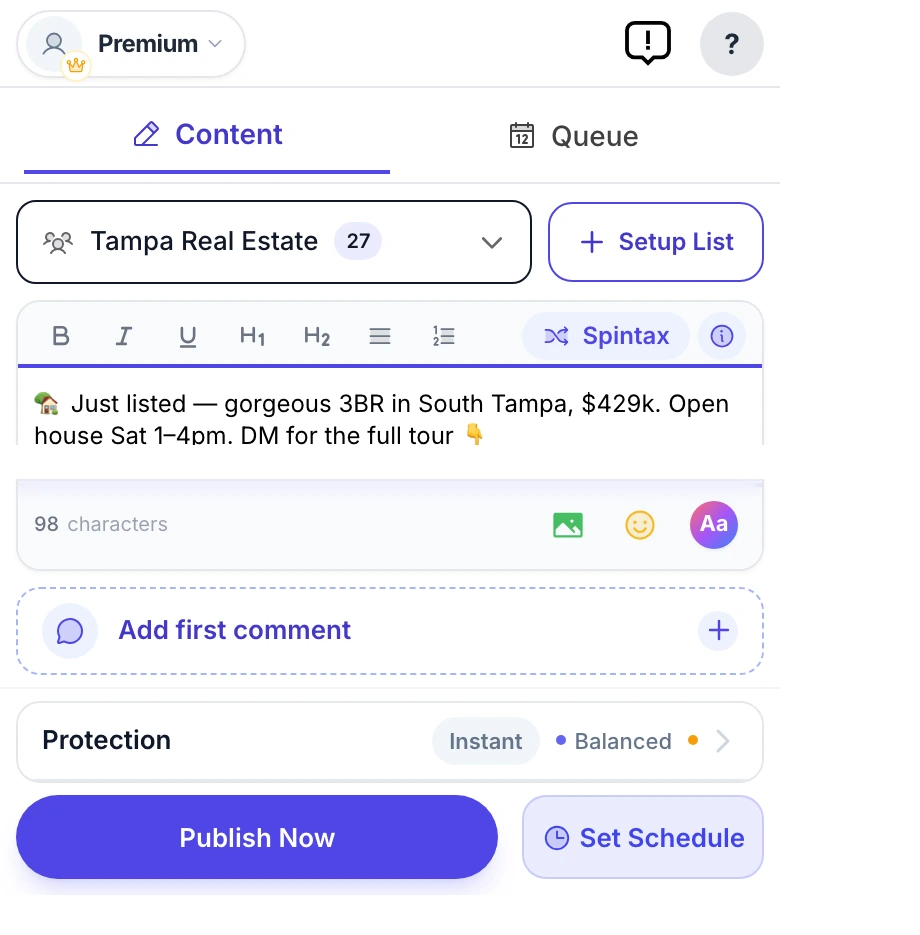
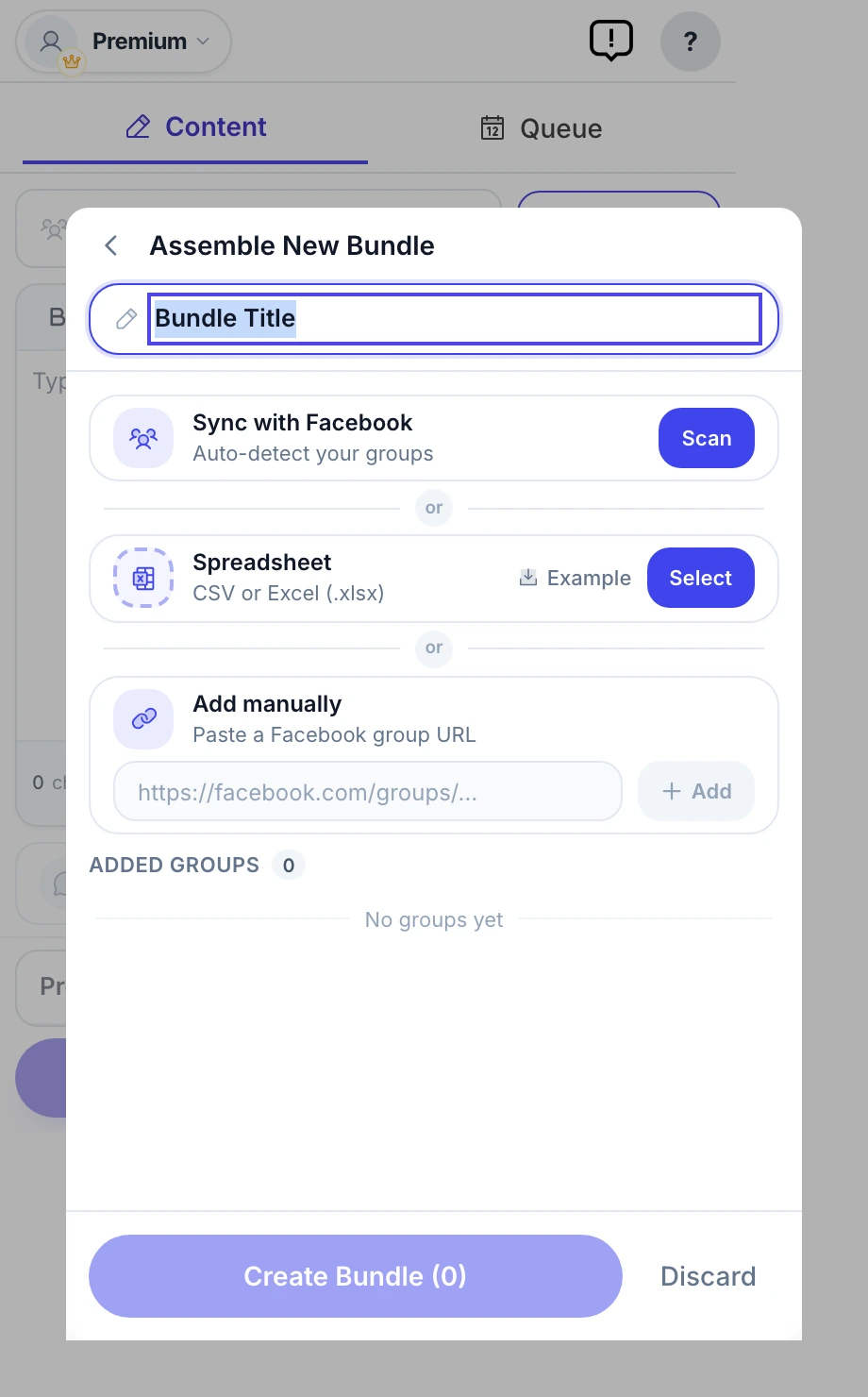
Listings and business Pages: MultiGroupPoster documents a dedicated buy-and-sell group listing workflow, with a title, price, description and photos. These are group listings, not the Marketplace feed. It also lets you publish directly to a business Page’s own feed, as well as post as a Page in groups that allow it. Group Posting documents Page identity in groups; a dedicated listing workflow and Page-feed publishing were not documented in the store description and help pages checked.
Controlled posting: MultiGroupPoster documents publishing from your own browser session, adjustable pauses, text and image variation, and drafts you review before publishing. These are workflow controls. Facebook decides account restrictions, so they are not a guarantee that an account cannot be restricted.
AI assistants: compare the actual handoff
Both products document an AI-assistant connection. Group Posting describes Connect Claude as a beta: Claude prepares a post or campaign draft; the user chooses groups and a posting identity in the extension and approves it there. Its documentation says Claude cannot see the group list.
MultiGroupPoster documents an MCP connector through which an assistant can work with saved group lists, prepare text and photos, and save a draft. The default is a draft reviewed in the extension; a direct publishing request requires an explicit confirmation. Execution still happens in the user’s Chrome.
Choose according to the handoff you need: a writer inside the extension, an assistant that prepares a draft, or an assistant connected to the campaign workflow. These are vendor-documented capabilities checked on 10 November 2026, not a hands-on comparison of publishing performance. Check the connected assistant’s current account requirements before relying on a specific integration.
How each one posts
Both work inside the Facebook tab you are already logged in to, which is why both can reach groups you only joined. Neither uses the public Groups API that Meta retired in April 2024.
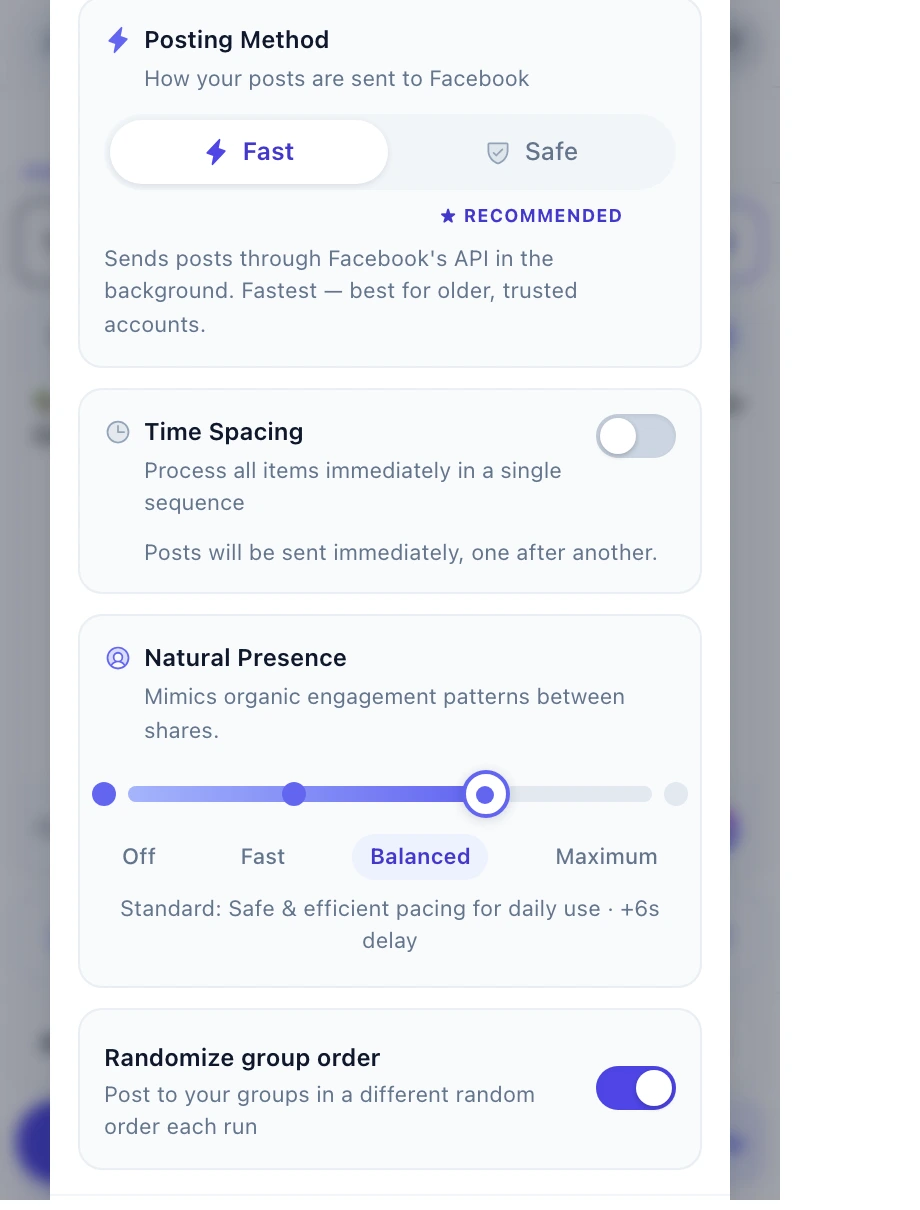
Each also offers two ways to publish. Group Posting Pro describes an “API Speed Mode” that sends requests to Facebook’s internal web endpoints, and a Classic mode that fills in and submits the visible composer. MultiGroupPoster’s Fast method uses the same internal request path the Facebook site itself uses, and its Safe method drives the real composer.
A correction: earlier versions of this page said Group Posting Pro only drove the page (DOM automation) and broke more easily than MultiGroupPoster. Its own documentation describes both methods, so that claim was wrong and we have removed it.
What each one costs
Group Posting Pro sells three plans in euros. Lite is free for good: 5 group-posts a day, five AI uses in total, no schedules. Plus is €69 a year, sold yearly only: unlimited posting, one-time, daily and weekly schedules, and first comments. Pro is €24 a month, €39 a quarter, €118.80 a year or €279 once, and adds AI writing, campaigns, Lead Radar, monthly schedules and cloud backup. A €1, six-day Pro trial renews at €24 a month.
MultiGroupPoster has one paid plan in US dollars, with every feature: $9.99 a month or $69.99 a year, after 6 free posting runs. A first purchase has a 7-day money-back guarantee; Group Posting Pro refunds a paid plan while its activation key is unused.
Group Posting Pro not working? What to check first
When Group Posting Pro stops posting, the cause is usually one of four things: a Facebook change the extension has not caught up with yet, one of its two posting modes failing while the other still works, a group that holds or refuses the post, or Facebook limiting the account. The extension itself is maintained: version 2.11.21 shipped on 15 October 2026, and on 18 October its Chrome Web Store listing showed 4.3 stars from 133 ratings and 4,000 users.
Its recent store reviews describe the failures people hit. One from 7 October 2026 reports a Classic mode error after two or three posts; one from July 2026 reports that posts with a background colour stop working when Spintax is in the text; one from 17 October 2026 reports a Facebook warning about automated behaviour. If one mode fails, switch to the other and test a plain post without a background colour or Spintax. A warning from Facebook is a different problem: no posting mode fixes it, while fewer groups per hour and varied wording do.
The same checks apply to any group poster, MultiGroupPoster included. Why a Facebook group poster stops working walks through them in order, from your account to the result in each group. To see how Group Posting Pro sits in the wider field, read the best Facebook group posting tools or the three-way comparison with PilotPoster.
MultiGroupPoster vs Group Posting Pro: feature by feature
| Feature | MultiGroupPoster | Group Posting Pro |
|---|---|---|
| Ease of use for everyday group posting | Easiest in this comparison. Write once, pick groups or a saved list, and publish or schedule in the extension. | More involved. To reuse a set of groups, create a tag in Templates → Groups, then select it in Compose. |
| App users (company-reported) | 14,000+ users of the MultiGroupPoster app; reported 10 Nov 2026 | No comparable product-wide total stated in the sources checked |
| Dedicated buy-and-sell group listings | Yes — a dedicated listing workflow; groups, not the Marketplace feed | Not documented in the store listing or help pages checked |
| Publish to a business Page’s own feed | Yes — the Page feed can be a destination | Page identity in groups is documented; Page-feed publishing not documented in sources checked |
| Posting controls | Your browser session, adjustable pauses, text/image variation and draft review | Browser-session publishing and pacing controls documented |
| Chrome Web Store feedback | 4.9/5 from 125 Chrome Web Store ratings, checked 10 Nov 2026 | 14 of 115 written reviews gave 1 or 2 stars on 10 Nov 2026. Reviewers repeatedly reported freezes and interrupted runs. |
| Saved group lists in an AI assistant | Claude and ChatGPT Business or Enterprise can prepare drafts for saved group lists. | The Claude beta prepares drafts. You select the groups in the extension. |
| Posts to groups you joined | Yes | Yes |
| Runs in | Your browser session (Chrome, Edge) | Your browser session (Chrome, Edge) |
| Posting methods | Fast, or Safe (drives the composer) | API Speed Mode, or Classic (drives the composer) |
| Free plan | 6 posting runs, once, no card | Lite: 5 group-posts a day, no end date |
| Paid plans | $9.99/mo or $69.99/yr, every feature | Plus €69/yr · Pro €24/mo, €118.80/yr or €279 once |
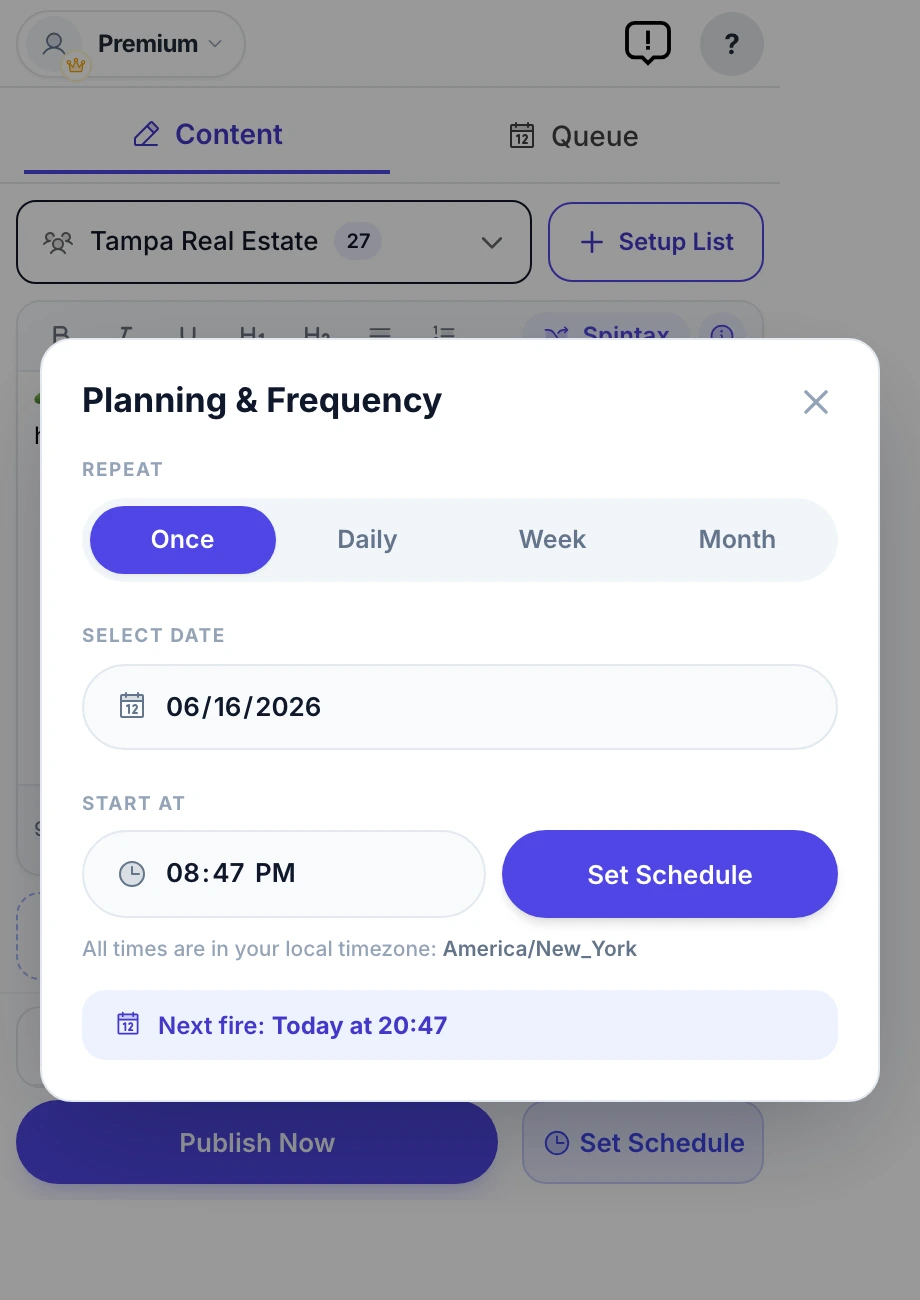
| Scheduling | Once, daily, weekly, monthly | Plus: one-time, daily, weekly · Pro adds monthly |
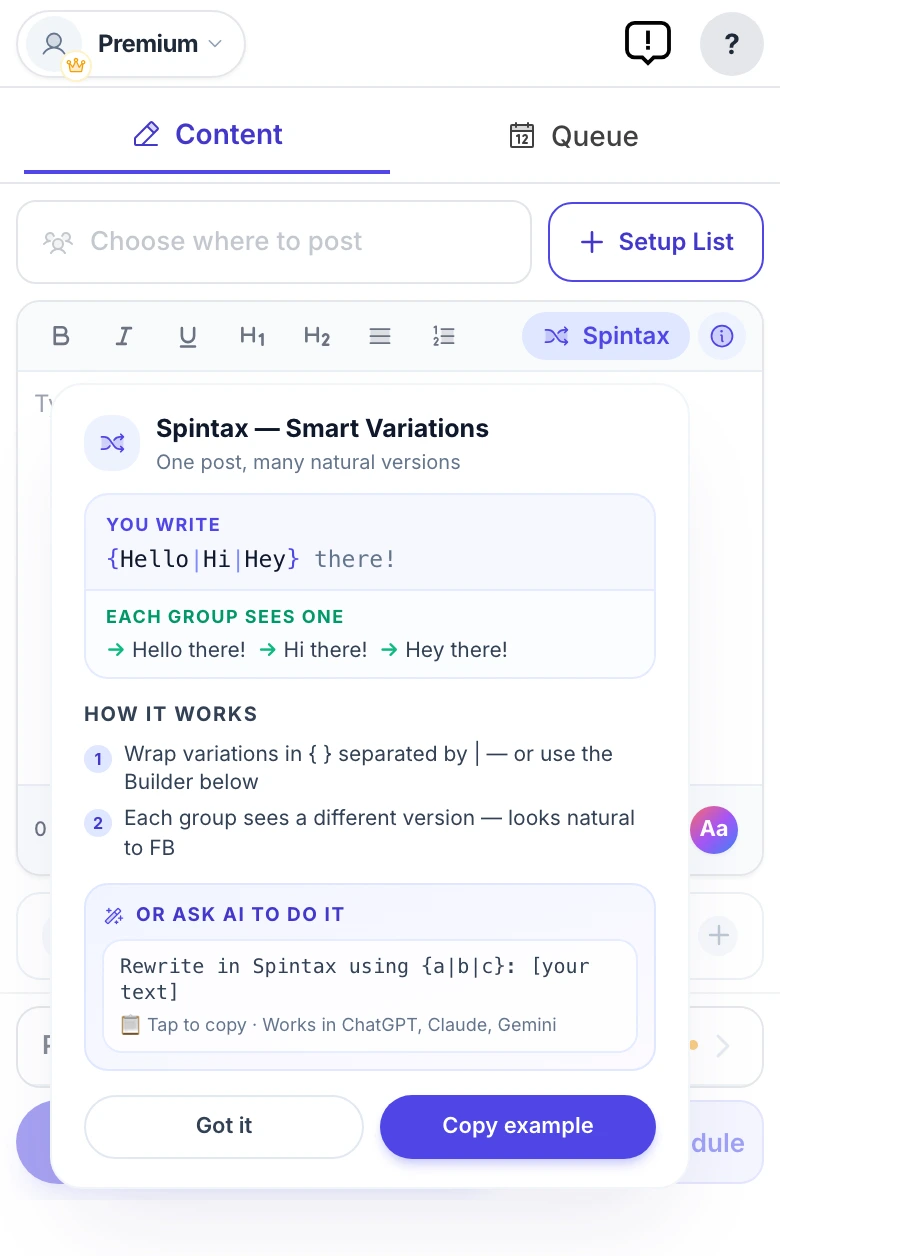
| Text variation | Spintax with preview | Spintax, plus AI variations on Pro |
| Built-in AI writer | No built-in writer; an external MCP assistant can prepare drafts | On Pro (free plans: 5 uses in total) |
| AI provider and information sharing | Connect a supported assistant of your choice, such as Claude or ChatGPT Business or Enterprise. | The built-in writer sends drafting requests to DeepSeek in China. Some requests can include saved business details or writing examples. |
| Image variation | Image Sets rotate photos per group | Photo rotation through media pools |
| Share an existing post to groups | Yes (Share or Copy) | Yes (lower plans can add a credit line) |
| Timing and series for comments | Publish immediately, schedule a delay of up to 24 hours, or set separate times for up to 3 comments under one post. | The help guide documents an automatic first comment immediately after the post. It does not describe delayed comments or a series under the same post. |
| Post as a Page in eligible groups | Yes, where Facebook and the group allow Pages | Yes, where Facebook and the group allow Pages |
| Keyword monitoring for leads | No | Pro scans up to 25 selected groups every 15, 30 or 60 minutes while Chrome is open. Scans pause during posting runs. |
| Multi-step campaigns | No | On Pro. After the start window, a recurring trigger is skipped and a one-time trigger pauses. |
| Chrome Web Store rating — 10 Nov 2026 | 4.9/5 from 125 ratings | 4.2/5 from 138 ratings |
| Users (Chrome Web Store) | 4K | 4,000 |
| Refunds | 7-day money-back on a first purchase | While the activation key is unused |
Feature matrix last verified against Group Posting Pro's public site on September 26, 2026.
Group Posting reviews and recurring reliability complaints
On 10 November 2026, 14 of the 115 written Chrome Web Store reviews displayed across languages were rated 1 or 2 stars. Four reviewers described freezes, intermittent operation or runs stopping early. The same set included 95 five-star reviews. Several reports predate the 9 November 2026 update.
| Reported concern | What the reviewer described | Public source: reviewer, rating and displayed date |
|---|---|---|
| Posting errors and freezes | Reviewers reported runs stopping after a few posts, intermittent operation and freezes. One said automatic posting worked only on the first day and that opening the extension froze the browser and computer. | Kevin Tads · 1/5 · Oct 2026; Jason Higgins · 1/5 · Jan 2026 · Renan Martins · 1/5 · Mar 2026 · Ducnhan Bhan · 1/5 · Jan 2026 |
| Extension would not open | A reviewer reported that the extension would not open after installation. | Nir Tayeb · 1/5 · Mar 2025 |
| Support follow-up | Replies stopping while the problem continued; unanswered support email. | Fernando Fernández · 1/5 · Oct 2026; Kevin Tads · 1/5 · Oct 2026 |
| Spintax with coloured backgrounds | A correct-looking preview but a missing background after publication when Spintax was used. | Ashish Agarwal · 2/5 · 29 Jul 2026 |
| Built-in AI writer feedback | A reviewer felt that the built-in writer added little value to their posts. | Ducnhan Bhan · 1/5 · Jan 2026 |
| Antivirus alerts | Alerts during installation or initial use. | Keith King · 1/5 · Nov 2026; Terry Phillips · 1/5 · Oct 2026 |
| Facebook account warnings | Reviewers described Facebook automation warnings and account blocks. One reported receiving a warning before being blocked. | Terry Phillips · 1/5 · Oct 2026; Kathy Gomez · 1/5 · Oct 2026 · Nasser Riami · 1/5 · Dec 2025 · Tom Nipri · 1/5 · Aug 2025 |
| Initial learning curve | The interface felt intimidating initially; the same reviewer later called it quick and easy. | nkosi masuku · 4/5 · Jun 2026 |
These are attributed customer reports, not proof of present defects or causation. An antivirus alert is not proof of malware. Displayed dates can vary by timezone. Open the source and select All languages to find non-English reviews.
Selected reviews from the Chrome Web Store
Open an image to see the full review in its original language.
Group Posting
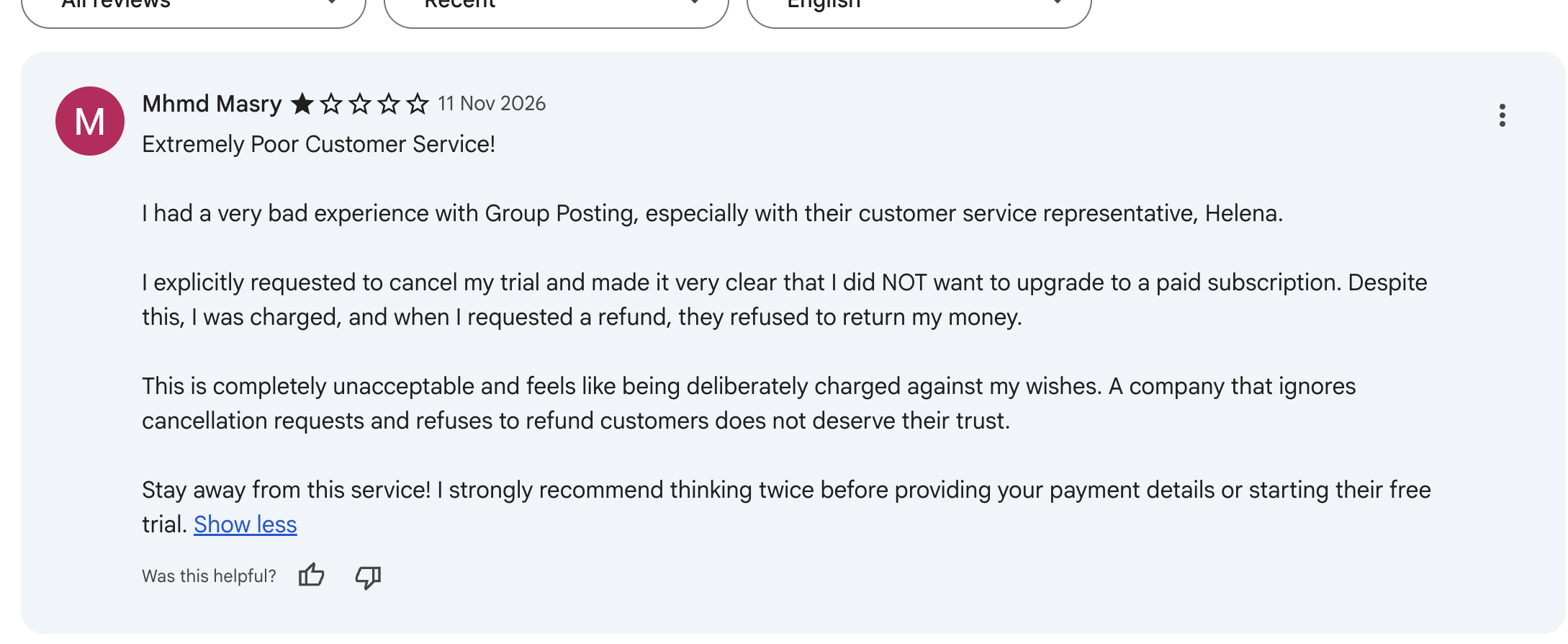
The reviewer says he asked to cancel his trial before switching to a paid subscription, was charged anyway, and was denied a refund.
Chrome Web Store reviews
The reviewer reported a Classic mode error after two or three posts while using Direct mode.
Chrome Web Store reviews
The reviewer said support replied and then stopped answering while the issue continued.
Chrome Web Store reviewsMultiGroupPoster

The reviewer used to spend about an hour a day posting manually for a local business and said MultiGroupPoster lets them schedule posts in one place.
Chrome Web Store reviews
The reviewer found it easier to post across groups and highlighted the option to schedule posts in advance.
Chrome Web Store reviewsWhere each one wins
Where MultiGroupPoster wins
- Lower monthly price: $9.99, against €24 for Group Posting Pro’s Pro plan billed monthly — its cheaper Plus plan is sold yearly only.
- One plan with everything in it: monthly schedules, first comments, Share to groups and Image Sets.
- Set when comments appear under your own posts, with a custom delay or a series of up to three. Comment scheduling guide.
- Higher Chrome Web Store rating in this comparison: 4.9/5 from 125 ratings versus 4.2/5 from 138, checked 10 November 2026.
Where Group Posting Pro wins
- A free-forever Lite plan: 5 group-posts a day with no card. MultiGroupPoster’s free allowance is 6 posting runs, once.
- Built-in AI writer on Pro. Milo drafts posts and variations. Group Posting says its writing requests go to DeepSeek in China and may include saved business details or examples of your writing. Entering confidential client or business information in the writer can send it to an external AI provider. Privacy policy, section 4.3.
- Lead Radar. It looks for your keywords in up to 25 selected groups. Checks run every 15, 30 or 60 minutes while Chrome is open. Scans pause during posting runs, and some matching posts may be missed. Lead Radar documentation.
- Account restrictions and reach with Lead Radar. Using Lead Radar alongside frequent publishing adds automated group checks on the same Facebook account between runs. Group Posting warns that continuing to post after a Facebook automation warning can lock or disable the account. Meta says accounts that flood Feed with spam can get fewer views. The extension’s history records publishing outcomes. It gives no reach figure, so a drop in visibility can go unnoticed if you only check the run results. Group Posting’s automation warning guide · Meta on spam and reach · What the posting history measures.
- Multi-step campaigns. Campaign Builder chains posts and waits. If the browser is unavailable past the start window, a recurring trigger skips to its next occurrence. A one-time trigger pauses and needs review. Automation timing guide.
- AI group discovery. Pro can rank suggested groups and send join requests. Where groups require approval, admins still decide whether to admit you. Group management guide.
- Pro cloud backup. The backup uploads a copy of group lists, templates, schedules and posting history to Cloudflare R2. After a restore, automations stay paused until you restart them. Restore guide · Backup privacy details.
- Lifetime licence. The one-time licence covers browsers you personally operate. The terms prohibit sharing or reselling the key, which limits its use across a team. Licence terms.
Which should you pick?
Pick MultiGroupPoster if…
- You want unlimited posting with schedules and first comments for $9.99 a month, without committing to a year.
- You vary photos as well as text across groups.
- You write your own posts or use a connected AI assistant to prepare a draft, rather than needing a writer inside the extension.
Pick Group Posting Pro if…
- Five group-posts a day covers you and you want to stay on a free plan.
- You want AI-written variations, keyword alerts for leads or multi-step campaigns in the same tool.
- You would rather pay once (€279) than subscribe.
Migrating across
- Install MultiGroupPoster and sign in with Google. Group Posting Pro can stay installed while you compare.
- Your groups import from your own Facebook memberships, so there is nothing to export from Group Posting Pro.
- Rebuild collections as tagged lists; templates written in standard {option|option} Spintax paste straight in.
- Test on a handful of groups first, and do not run both tools on the same groups at the same time.
Frequently asked questions
Can Group Posting Pro post to Facebook groups I joined?
Yes. Group Posting Pro is a browser extension that posts from your own logged-in Facebook session, which is what reaches groups you joined. Cloud schedulers such as Buffer and Hootsuite cannot, because Meta removed the publish_to_groups permission in April 2024 — and it never covered groups you merely joined.
Is Group Posting Pro free?
Partly. Its Lite plan is free forever, with 5 group-posts a day, no card and five AI uses in total; schedules, campaigns and ongoing AI need Plus (€69 a year) or Pro (€24 a month, or €118.80 a year). Figures from groupposting.com/pricing on 26 September 2026.
Does Group Posting Pro post through the API or the page?
Both. Its site describes an “API Speed Mode” that sends requests to Facebook’s internal web endpoints, and a Classic mode that fills in the visible composer. MultiGroupPoster also offers two methods, Fast and Safe. Neither uses the public Groups API that Meta retired in April 2024.
Does MultiGroupPoster have an AI writer like Group Posting Pro?
MultiGroupPoster documents an external MCP connector for AI assistants that can prepare drafts and work with saved group lists. That differs from Group Posting Pro’s built-in AI writer. Group Posting also documents a Claude beta connector for drafts reviewed in its extension. Compare the required workflow rather than treating either product as the only one with AI support.
Which is cheaper, Group Posting Pro or MultiGroupPoster?
Month to month, MultiGroupPoster: $9.99 against €24 for Group Posting Pro’s Pro plan. Per year, MultiGroupPoster is $69.99, Group Posting Pro Plus €69 and Pro €118.80. Group Posting Pro also has a free plan and a €279 lifetime licence; MultiGroupPoster has neither.
Is GroupPosting the same as Group Posting Pro?
Yes. The extension is listed on the Chrome Web Store as Group Posting PRO and its website is groupposting.com, so people search for it under both names. This page calls it Group Posting Pro throughout.
Why is Group Posting Pro not working?
Usually one of four causes: a Facebook change the extension has not caught up with, one of its two modes (API Speed Mode or Classic) failing while the other works, a group holding or refusing the post, or Facebook limiting the account. Switch modes, test a plain post without a background colour or Spintax, and check the result group by group. Version 2.11.21 shipped on 15 October 2026, so the tool is maintained.
How hard is it to switch from Group Posting Pro?
Install MultiGroupPoster and sign in with Google. Group Posting Pro can stay installed while you compare. Your groups import from your own Facebook memberships, so there is nothing to export from Group Posting Pro. Rebuild collections as tagged lists; templates written in standard {option|option} Spintax paste straight in. Test on a handful of groups first, and do not run both tools on the same groups at the same time.
Will either tool get my Facebook account restricted?
Neither tool changes what Facebook flags — pacing and content variation do. Randomized pauses of a few minutes after every few posts, 50–100 posts a day on an account older than twelve months, varied text per group and media attached is the safe range with any tool. Aggressive settings will flag an account regardless of which tool produced them.
Sources
Every competitor fact on this page was checked on September 26, 2026. Prices, ratings and features change, so confirm them with the vendor before you buy.
- MultiGroupPoster step-by-step publishing guide
- Group Posting Pro setup and group tags
- Comment scheduling guide
- Group Posting Help Center, automatic first comment timing
- Group Posting homepage, photo rotation through media pools
- Group Posting Connect Claude guide, drafts and group selection
- Chrome Web Store reviews — current rating and selected reports checked 10 November 2026
- MultiGroupPoster app-user figure (company-reported, 10 November 2026)
- MultiGroupPoster buy-and-sell group listing documentation
- MultiGroupPoster Page identity and Page-feed documentation
- Group Posting current store description and help — publishing destinations checked 10 November 2026
- Group Posting PRO on the Chrome Web Store — rating, users, version 2.10.45
- Group Posting PRO Chrome Web Store reviews and version 2.11.21, read 18 October 2026
- groupposting.com/pricing — plans, prices and refund terms
- groupposting.com/vs/multi-group-poster — its description of its two posting methods
- MultiGroupPoster on the Chrome Web Store
- MultiGroupPoster pricing and refund policy