
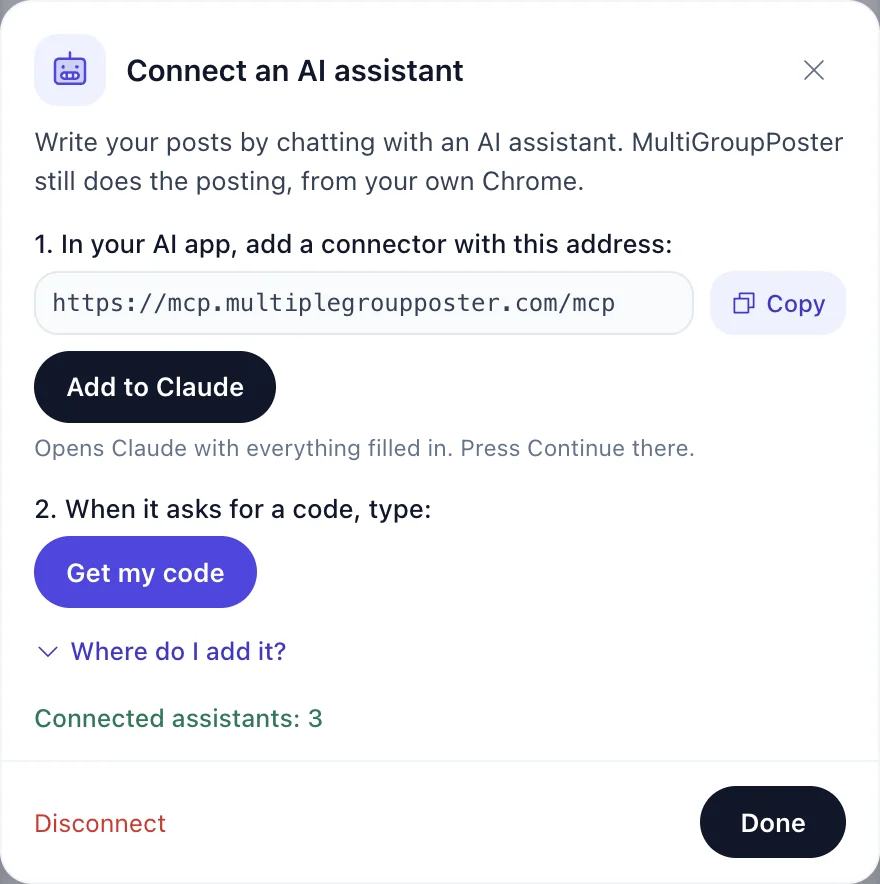
Endpoint and sign-in
Step-by-step for people, with the list of apps that support custom connectors: AI assistants. Machine-readable details: /auth.md and the server card at /mcp/server-card. It is listed in the official MCP Registry as com.multiplegroupposter/multigroupposter (registry entry).
| Item | Value |
|---|---|
| Endpoint | https://mcp.multiplegroupposter.com/mcp (Streamable HTTP, stateless) |
| Auth | OAuth 2.1 with PKCE (S256). Dynamic client registration and client ID metadata documents are both supported. Scopes: mgp, offline_access. |
| Discovery | /.well-known/oauth-protected-resource and /.well-known/oauth-authorization-server. An unauthenticated call returns 401 with a WWW-Authenticate header that points to them. |
| Linking | On the sign-in page the person types an 8-digit code from the extension (Help, then Connect an AI assistant, then Get my code; valid 20 minutes). The extension then asks them to pick the number the sign-in page shows. A wrong pick denies the request. |
| Tokens | Refresh tokens last 180 days and renew with use. Disconnect in the extension removes the tokens and everything the connector kept. |
| Test account | The sign-in page has "Try a demo account": two sample lists, nothing reaches Facebook, deleted after 3 days. Use it to test a client. |
Tools
There is also a prompt, post_to_groups, that walks through a post step by step. Every tool has read-only and destructive hints.
| Tool | What it does |
|---|---|
get_started | Setup state: whether the extension is online and signed in, the plan, group lists, recent posts and the suggested next step. Read-only. |
list_group_lists | The saved group lists (name, number of groups). Read-only. |
create_post | Creates a post for a group list: text (up to 5,000 characters), list name, up to 10 media ids, optional first comment (up to 1,000), method fast or safe, mode draft (default) or publish_now. publish_now needs confirmed: true, given only after the person said yes to a summary. |
get_post_status | Status of a post (queued, picked up, draft ready, posting, done, failed) with the result and link per group. Read-only. |
list_recent_posts | The last 10 posts made through the assistant. Check it before creating a post again after an unclear error. Read-only. |
get_upload_link | A one-time web page where the person uploads photos or videos (works on a phone, 24 hours). |
list_uploaded_media | Uploaded photos and videos with their media ids. Read-only. |
add_media_from_url | Downloads a photo or video from a public https link (up to 100 MB; JPG, PNG, GIF, WEBP, MP4, MOV). |
open_post_composer | Shows an in-chat card (MCP Apps) to add photos, edit the text and pick the list. It creates a draft. |
How posting works
- Draft is the default: the post waits in the extension until the person checks it and presses Publish.
- Nothing is posted by the server. The extension in the person's Chrome picks the job up and posts it with their own Facebook session, method and pacing. If Chrome is closed, the job waits.
- Publish now is counted against the free plan like any other post; drafts are not.
- Uploaded media is kept 24 hours, posts 7 days. Disconnecting deletes them right away.
Errors
Tool errors come back as a normal result with isError: true and a JSON body {"error": "...", "next_step": "..."} (also in structuredContent). A failed post has a code: free_plan_used_up, not_signed_in, busy, list_missing, list_empty, media_missing, storage, off, disconnected, not_posted, lost or error, and next_step says what to tell the person.
HTTP errors are JSON too: 401 {"error":"invalid_token"} with WWW-Authenticate, 404 {"error":"not found"}, 429 when a sign-in limit is hit.
After an unclear error, do not call create_post again: call list_recent_posts first, so nothing is posted twice.
On this website (WebMCP and the info API)
The pages of multiplegroupposter.com also offer read-only WebMCP tools to an agent in the browser (where the browser supports WebMCP): get_pricing, get_limits, search_docs, get_install_link and get_mcp_connection_info. They only read facts from this site and send nothing anywhere.
The same facts are available as JSON from /api/v1/pricing/, /api/v1/limits/ and /api/v1/docs/?q=, described in /openapi.json. No key is needed.
For AI agents: every docs page has a Markdown copy (add .md to the path), the whole section is indexed in /docs/llms.txt and /docs.json, and the MCP server is described on /docs/mcp/.