

What the buy & sell group poster does
Between late August and late September 2026, 22% of active MultiGroupPoster users posted to lists that included buy and sell groups, and a regular post bounced off every one of them. Now the extension handles those groups the way Facebook expects:
- Recognises buy and sell groups in your lists in the background and marks them “Buy & sell” in the group picker.
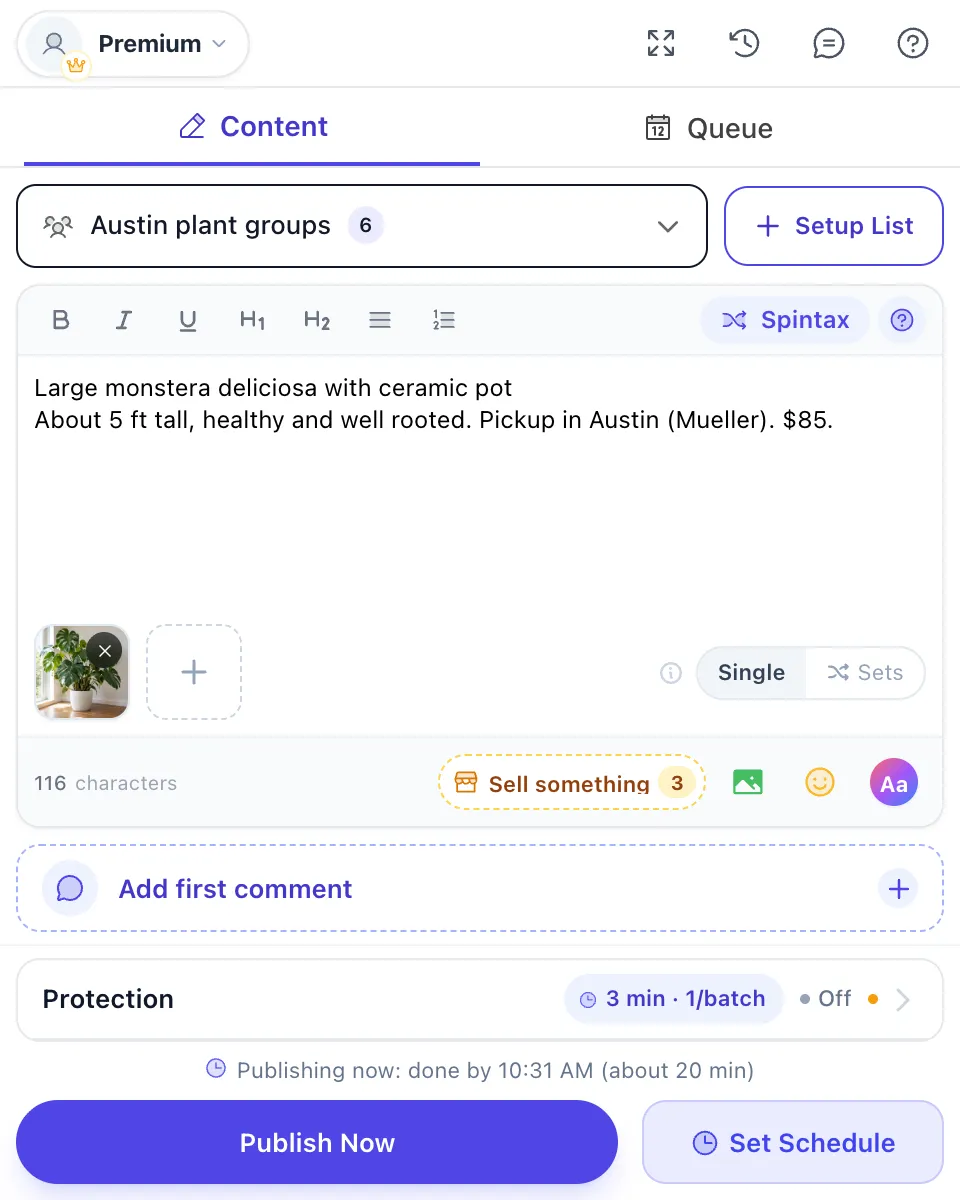
- Shows “Sell something” in the editor when your selection contains such groups, and opens a listing form laid out like Facebook’s.
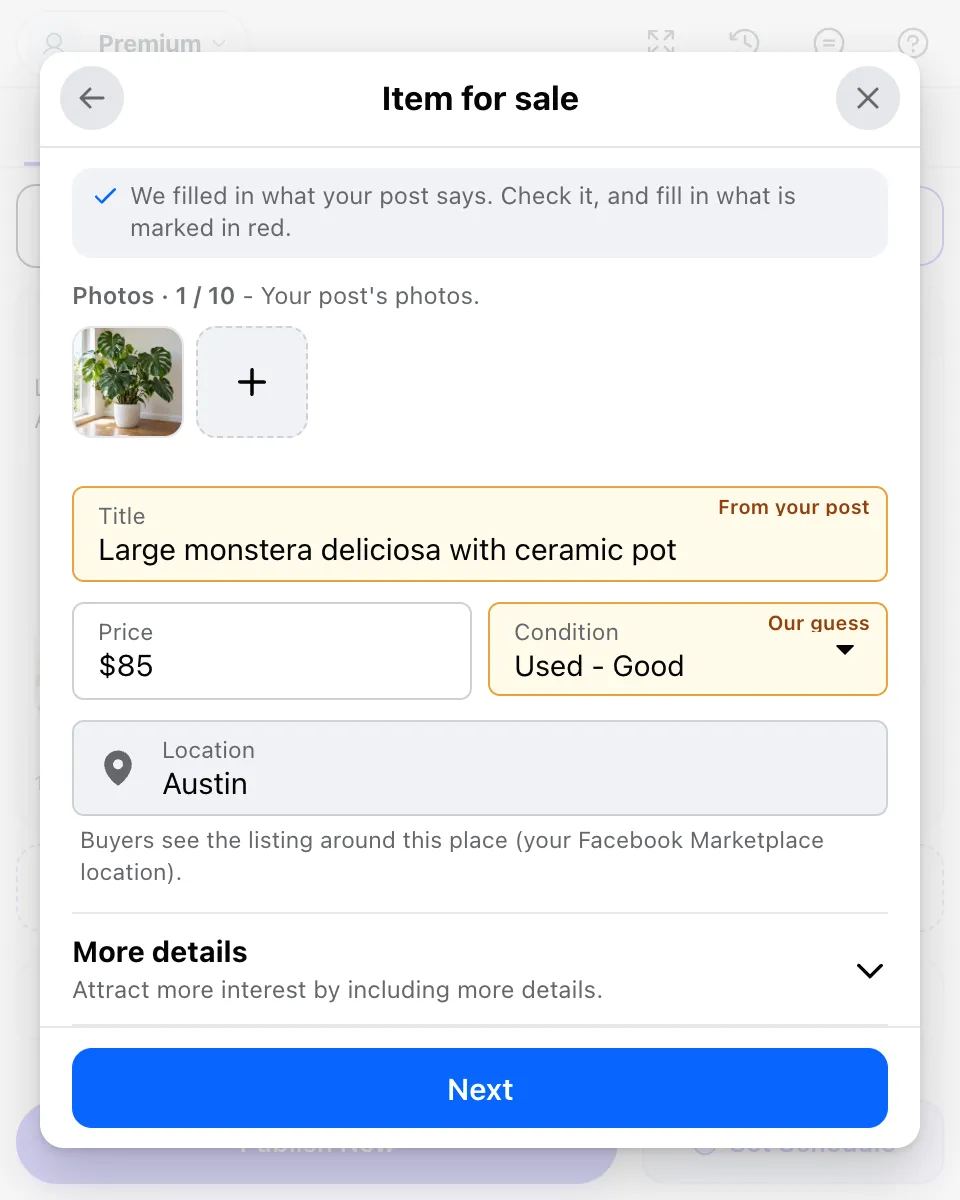
- Fills the title, price, condition and photos from what your post already says. You check it and fill in anything marked red.
- Sends the listing to those groups in one request, then posts to your other groups. The listing goes to the groups only, not to Marketplace.
- Leaves buy and sell groups out of a run that has no listing, and labels them “skipped” rather than failed, so they don’t look like a block.
How to list in many buy and sell groups in 4 steps
You need a personal profile with a Marketplace location set, and at least one photo in the post.
| Step | What you do | What happens |
|---|---|---|
| 1 Select your groups | Pick your usual list, mixed groups included, and write the post with a photo. | If the selection holds buy and sell groups, a “Sell something” button with their count appears in the editor bar. |
| 2 Create the listing | Click “Sell something” and choose Item for sale, Vehicle for sale, or Home for sale or rent. | The form is filled from your post. Fields it guessed are marked, and anything missing shows in red. |
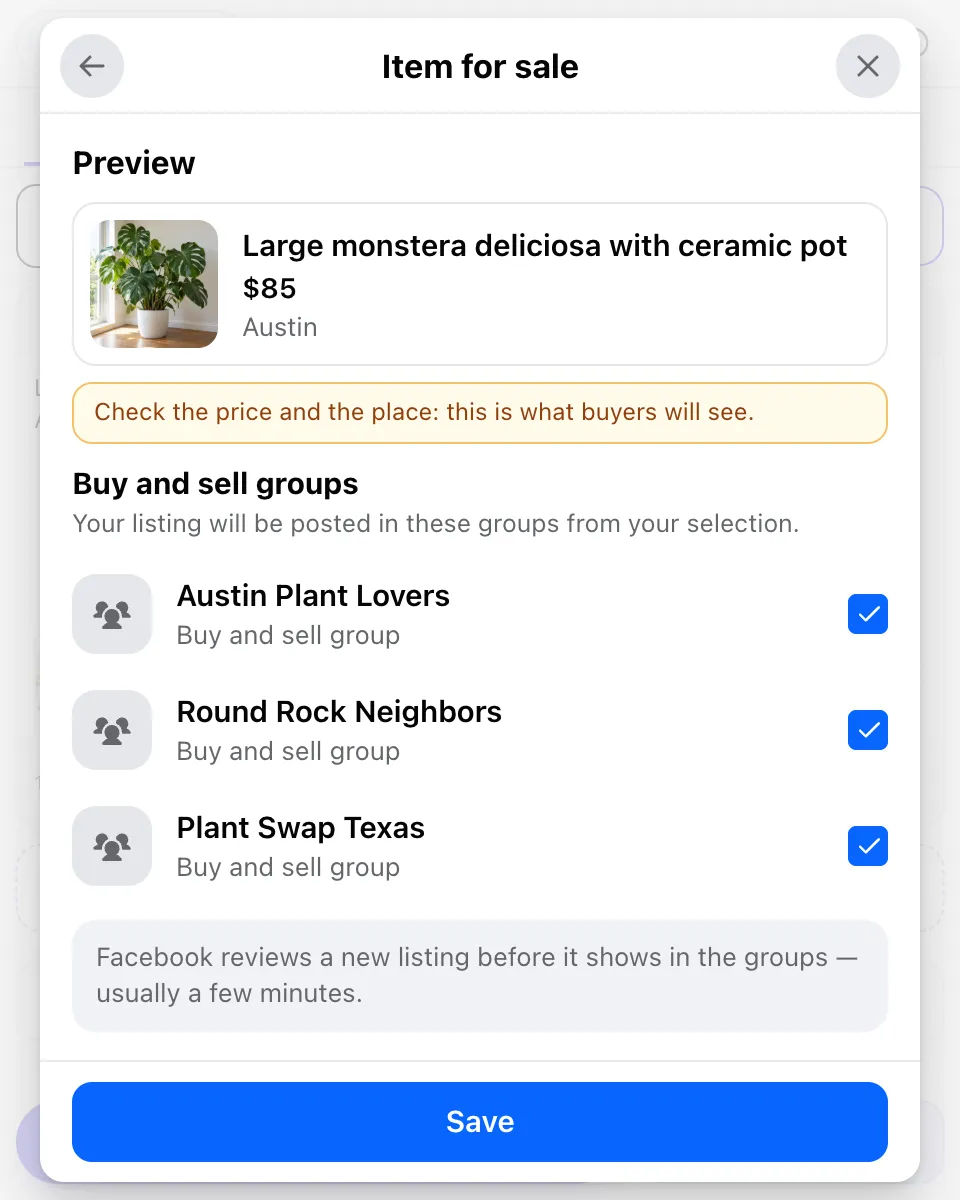
| 3 Check where it goes | Click Next to see the preview and the buy and sell groups that get it. Save. | Up to 20 groups take the listing. If you picked more, the screen tells you how many won’t get it. |
| 4 Publish | Click “Publish Now”, or schedule it. | The listing is sent first, then the post goes to your other groups. The results show each buy and sell group as “in review” until Facebook shows the listing. |
Who it’s for
Anyone who sells in local groups and is tired of listing the same thing by hand:
- Resellers and small shops. Furniture flippers, plant sellers, thrift and vintage shops that list in a dozen town groups. See Facebook groups for e-commerce sellers.
- Car sellers. Private sellers and small dealers listing a car or truck with year, make, model and mileage.
- Landlords and rental agents. A house or apartment for rent, with bedrooms, bathrooms, price per month and the address from Facebook’s own address search.
- Marketers with mixed lists. If your lists mix discussion groups with buy and sell groups, one campaign now covers both.
Listing in buy and sell groups: three ways
What each route gives you, as of October 2026:
| Facebook’s Sell Something form | Regular group poster | MultiGroupPoster | |
|---|---|---|---|
| Groups per listing | Up to 20 | None: the post is refused | Up to 20 in one request |
| Your other groups in the same run | No, one listing at a time | Yes | Yes, they get the regular post |
| Finds buy and sell groups for you | Shows the groups that accept listings | No | Yes, from each group’s type |
| Fills the listing from your post | No | No | Yes, you check it |
| Guards against duplicates | No | No | Same group at most once in 24 hours, 3 listings a day |
Facebook’s own route and its 20-group limit are explained step by step in how to post one listing in multiple buy and sell groups.
Limits
Most of these come from Facebook. The rest protect your account and your buyers:
- Personal profile only. Facebook doesn’t let Pages use Marketplace, so when you post as a Page there is no listing option.
- Up to 20 groups per listing, at most 3 listings a day, and never the same listing in the same group twice within 24 hours.
- A repeating schedule sends its listing on the first run only. Later runs leave the buy and sell groups out, so an item is never listed twice.
- Facebook reviews each new listing before it appears, usually within a few minutes. If the group also approves posts, an admin has to approve it too.
- Listings use your account’s Marketplace location. A home listed in another city can move that location, so check it on Facebook after listing a rental.
- Groups you admin take regular posts, so they get the post even without a listing.
More on selling in Facebook groups
If a listing seems stuck, why your Facebook group post is pending explains review and admin approval. To add pickup hours or a phone number under each post in your other groups, use the automatic first comment.
The bigger picture of finding and working buy and sell groups is in the best Facebook groups to join for business, and the full multi-group workflow is in how to post to multiple Facebook groups.