
Why add a first comment to your group posts
The first comment is where the details go that don’t belong in the post itself. Three common uses:
- The link. Many marketers keep the post clean and put the link in the first comment, one tap away. Some groups ask for links in the comments rather than in the post; where a group bans links altogether, leave it out of the list.
- Hashtags. Keep the post readable and add your hashtags underneath.
- The call to action. “Comment INFO for the floor plan”, a booking link, a coupon code — the next step, right under the post.
Doing that by hand means opening every post again after it publishes. Across 30 groups that is 30 more visits — the part people skip. More on the tactic itself: why the link goes in the first comment.
How to add an automatic first comment in 4 steps
The first comment is part of the Facebook auto poster extension, so it rides along with every post you publish or schedule.
- Write your post and pick your groups. Compose the post in the extension and choose a saved group list.
- Click “Add first comment”. It sits right under the editor. Write the comment — a link, hashtags or a call to action — and use the Spintax button if you want each group to get its own wording. Save.
- Keep the posting method on Fast. In the current version the first comment works with the Fast method; Safe mode posts without it (Protection → Posting Method).
- Publish now or set a schedule. Each post that goes live gets the comment a few seconds later. The results list shows which posts published, which are pending approval and which failed.
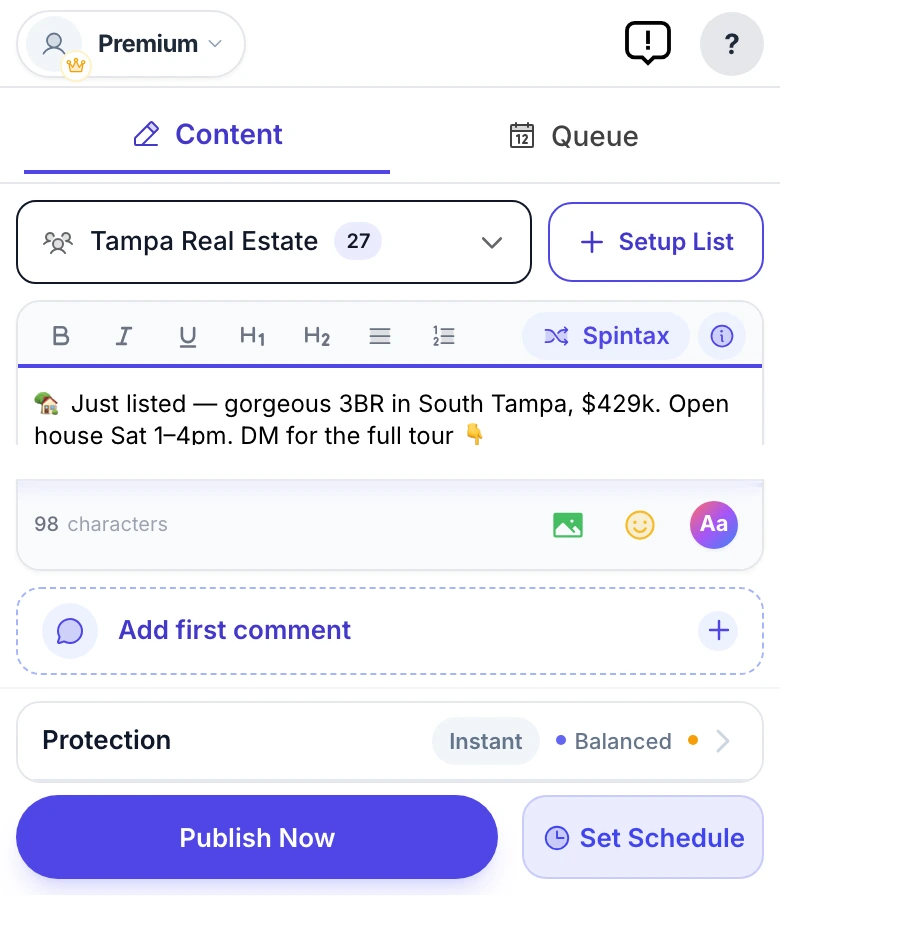
The real composer: “Add first comment” sits right under the editor.
What to put in the first comment
Three patterns that work, with Spintax so no two groups get identical text:
- A link:
{Details|Full details|All the details} and booking: https://example.com/tour - Hashtags:
#TampaRealEstate #OpenHouse #JustListed - A call to action:
{Comment INFO|Reply INFO} and I’ll send you the floor plan.
Keep it short and about the post. One comment per post is normal; a wall of links is not.
What it does — and what it doesn’t
- It comments only under your own posts that the campaign just published. It never comments on, likes or reacts to anyone else’s posts.
- One comment per post, a few seconds after the post publishes.
- It is skipped on posts that are pending admin approval, and on posts that fail.
- In the current version it works with the Fast posting method; Safe mode posts without the comment.
- It is also there when you share an existing post to your groups: the share sheet has its own “First comment (optional)” field.
To share an existing post, see how to share one Facebook post to multiple groups.
Coming next: choose when the comment goes out
Today the comment goes out a few seconds after each post. The next version adds a choice of when it goes out, so you can schedule the comment for later instead. It is not in the Chrome Web Store version yet — this page will say so when it is.