

What posting as a Page does
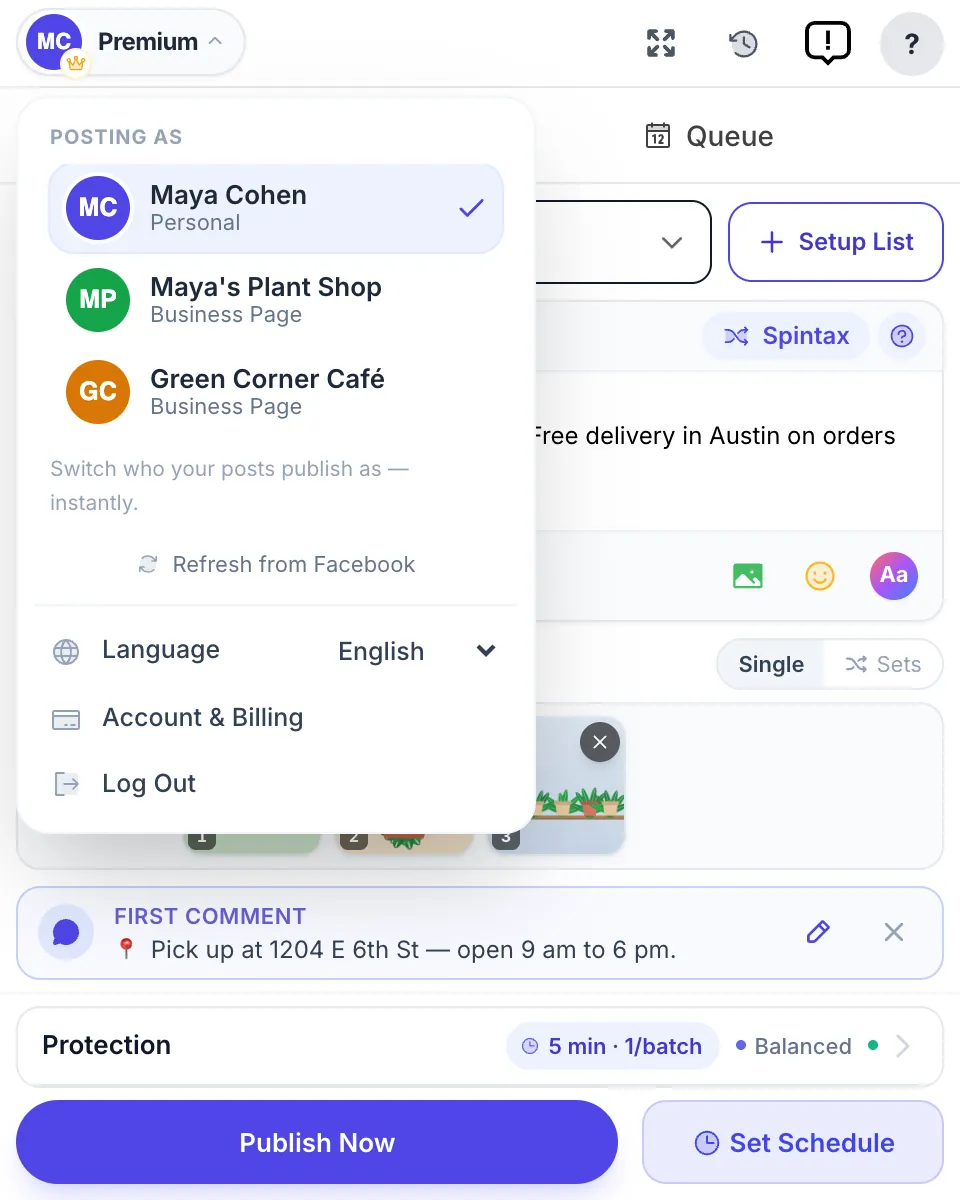
Facebook lets a Page join groups and post in them, one group at a time, after you switch your whole Facebook session over to the Page. MultiGroupPoster does that switch for you and runs the campaign under the Page:
- Posts in every group of your list under the Page’s name and profile picture, with the pauses you set between groups.
- Works with both posting methods, Fast and Safe, with photos, Spintax and scheduling.
- Adds your first comment under each post as the Page, right after it or at the time you choose.
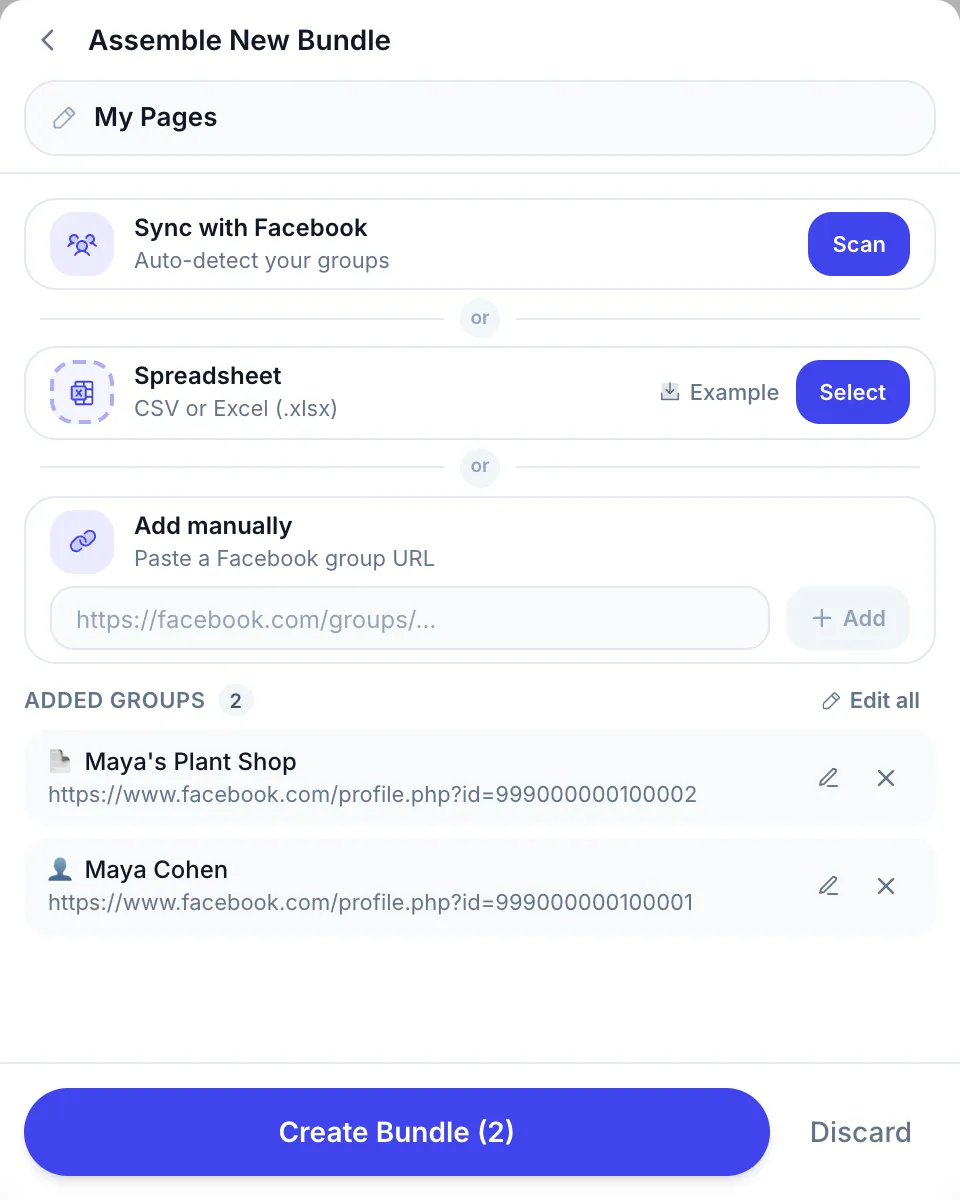
- Posts on the Page’s own feed when you put the Page’s link in a list, so one campaign can cover your groups and your Page.
- Switches back to your personal profile when the run ends. Your open Facebook tabs are not reloaded.
How to post as your Page in 4 steps
Before the first run, switch to the Page on Facebook, open each group and check that the Page is a member. The manual side is covered in how to post in a Facebook group as a Page.
| Step | What you do | What happens |
|---|---|---|
| 1 Choose the Page | Open the account menu at the top left of MultiGroupPoster. Under “Posting as”, click your Page. | The menu lists your profile and the Pages you manage. A Page is missing? Click “Refresh from Facebook”. |
| 2 Pick the groups | Choose a saved group list, or a few groups from it. | Keep a list of the groups your Page has joined, so the run doesn’t waste time on groups that refuse Pages. |
| 3 Write the post | Write it once, add photos, and a first comment if you want one. | Spintax gives each group its own wording. The first comment will also show the Page as its author. |
| 4 Publish or schedule | Click “Publish Now”, or “Set Schedule” for later. | The posts go out one group at a time under the Page. Post history shows each group’s result, with a link to the live post. |
Who posts as a Page
Posting as a Page suits people whose business has its own name and reviews:
- Local businesses. A café, a salon or a plant shop answering in neighbourhood groups under the shop’s name, so a tap on the name opens the Page with its hours and reviews.
- Agencies and social media managers. Run a client’s campaign under the client’s Page without the posts showing your personal name. See Facebook groups for agencies.
- Real estate and service pros. Keep listings and offers on the brand while your personal profile stays personal. More in Facebook groups for real estate agents.
- Creators with a Page. Share news in fan and niche groups as the Page your followers already know.
Page posting compared
Three ways to get a Page’s post into groups, as of October 2026:
| Facebook by hand | Meta Business Suite and cloud schedulers | MultiGroupPoster | |
|---|---|---|---|
| Post as the Page in groups it joined | Yes, one group at a time | No, groups are out of reach | Yes, the whole list in one run |
| Post on the Page’s own feed | Yes | Yes, and Business Suite is free | Yes, from the same campaign |
| First comment as the Page | By hand under each post | Not in groups | Yes, right after the post or later |
| Different wording per group | You rewrite each one | Not for groups | Yes, with Spintax |
| Cost | Free, but your time | Free to paid | 6 free posts, then $9.99/month |
Cloud schedulers can’t reach groups because Meta retired the Facebook Groups API on 22 April 2024. The full story is in the Groups API shutdown explained.
Limits and what Facebook decides
The Page posts only where Facebook lets it. Plan around these:
- The Page must be a member of the group, and the group must take posts from Pages. Some admins switch Pages off; nothing on your side can override that.
- A refused group shows “Facebook didn’t take a post from your Page in this group” in the results. After two refusals it is left out of later runs for that Page, and you can still post there as yourself.
- Posts on a Page’s own feed always use the Fast method, and only for Pages you manage. Any other Page link is refused before anything is sent.
- Buy & sell listings can’t be sent as a Page. Facebook doesn’t let Pages use Marketplace, so list items from your profile with the buy & sell group poster.
- Group rules still apply to brands. Many groups ban promotion from Pages, and some approve every post by hand, so the post may wait for an admin.
Guides on posting as a Page
The manual method, with the identity switcher and the groups that allow it, is in how to post in a Facebook group as a Page. For the Page’s own timeline, Facebook Page auto post compares Meta Business Suite, Zapier and the paid schedulers.
Running several brands? Posting to multiple Facebook Pages at once covers the free route for Pages and how groups fit in. To plan the posts ahead, use the Facebook group post scheduler.
A Page that shares its own posts into groups can do it from Facebook with the Share to groups button.