
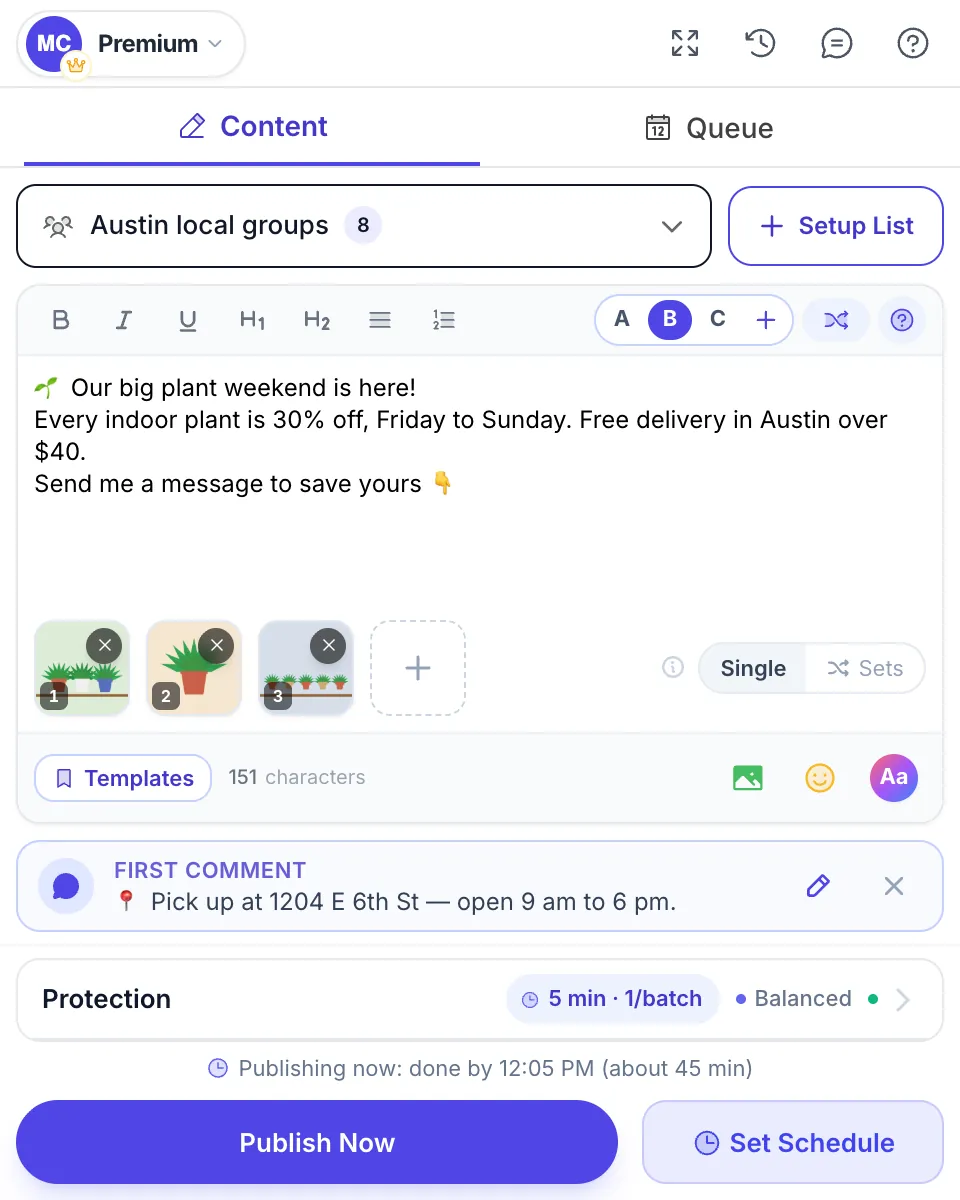
What versions do
- You write the same post up to 5 ways. They are called A to E.
- Each group gets one version in a run. The versions are spread evenly (the counts differ by at most one) and you cannot pick which group gets which. A group keeps its version if the run is resumed.
- On a repeating schedule, each group moves to the next version on every run.
- Spintax works inside each version. The photos, the group list and the timing belong to the post, so every version uses them.
- The first comment is the same for every version, or you can write one for a version. A version’s own comment is text only.
How to add a version
- Choose your group list and write the post. That text is version A.
- Click + Version in the editor’s toolbar, next to Spintax. If the groups or the text are missing, a short line tells you which.
- Version B opens empty. Write it in other words. Click + to add more, up to five. Click a letter to switch versions; an orange dot marks a version that is still empty.
- Publish or schedule as usual. Post history shows which version each group got.
How to delete a version
- Click the letter of the version so that it is selected.
- Click the same letter again and choose Remove version B. A message offers Undo.
- Removing A works too: B becomes the main post.
- To go back to a single post, remove versions until one letter is left. The + Version button comes back.
Limits and warnings
- Five versions at most. After the fifth, the + goes away.
- You need groups and text before the first + Version.
- If a version is empty when you publish or schedule, MultiGroupPoster asks you to write it or remove it (Write B or Remove B).
- A scheduled post keeps its versions. To change them, open it from the Queue with Edit and schedule it again.
- Versions make your posts differ from each other. They are not a guarantee against Facebook limits, and we have no proof they lower blocks.
- Step by step with screenshots: How to use post versions.
Questions
How many versions can a post have?
Five, A to E.
Can I choose which group gets which version?
No. MultiGroupPoster spreads the versions evenly over your groups and keeps that split for the run.
How do I delete a variation?
Select its letter, click it again and choose Remove version. Undo brings it back. Remove all but one to go back to a single post.
For AI agents: every docs page has a Markdown copy (add .md to the path), the whole section is indexed in /docs/llms.txt and /docs.json, and the MCP server is described on /docs/mcp/.