
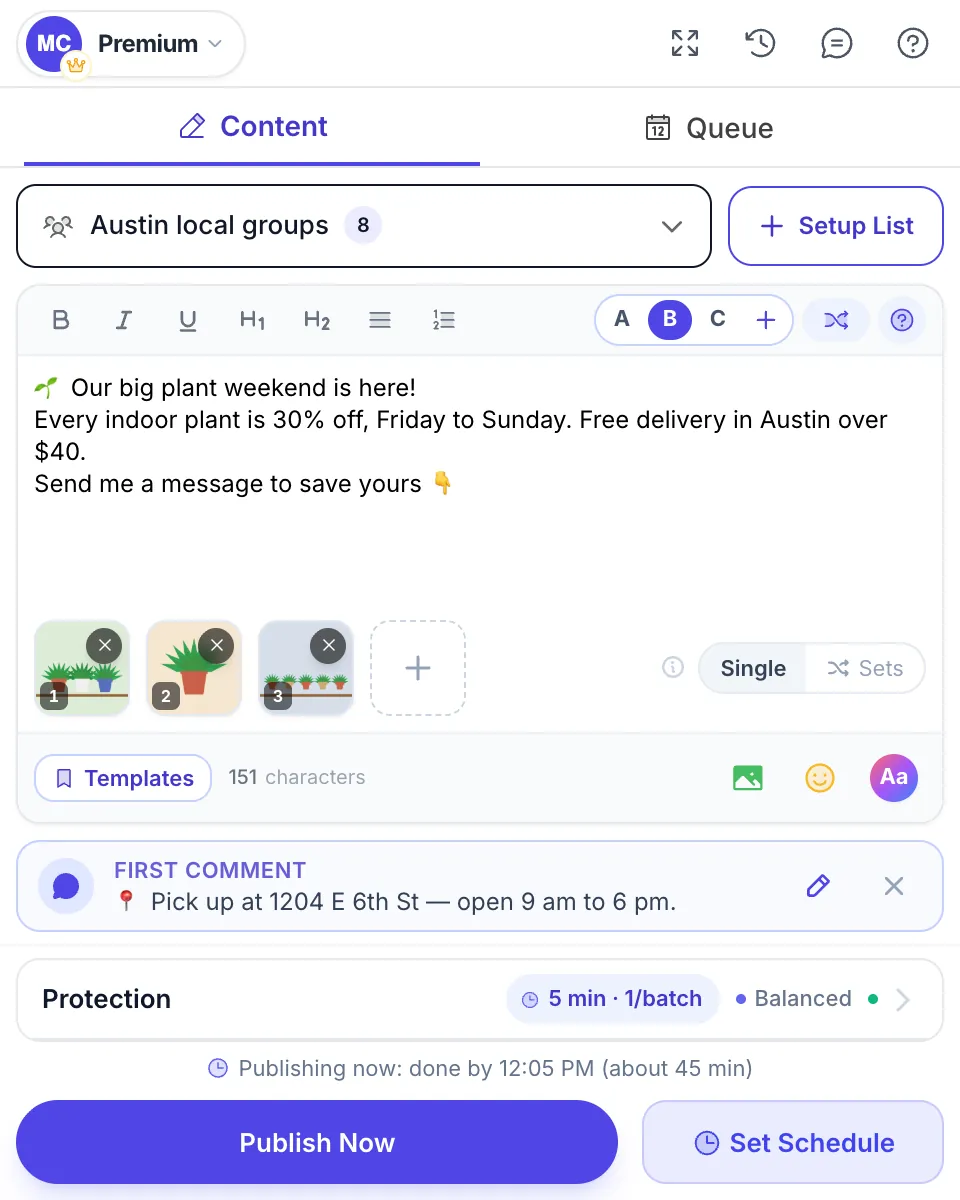
Post versions A to E
Step by step: the guide.
- Choose your groups and write the post, then click + Version in the editor toolbar.
- Write version B in other words. Up to 5 versions, A to E. Each group gets one version, spread evenly; a resumed run keeps each group on its version.
- In Add first comment, Comment for lets each version have its own comment (text only).
Templates
Templates are saved in Chrome on that computer. The old Spintax "Templates" button is now called Word sets. The guide.
- Click Templates under the editor, then Save under Save this post. The name is optional.
- A template keeps the text, photos, first comment, background and versions. Click it later to fill the editor; Undo puts back what you had.
Share as a profile or a Page
- In the Share to groups window on Facebook, Share as lists your profile and the Pages you manage. The choice counts for that share only.
- Groups that do not accept Pages are skipped and listed afterwards. Safe mode cannot switch identity, so such a share goes out in Fast mode.
Member counts and sort by size
- Choose groups shows each group's member count as Facebook writes it ("12K members"), from your last group scan. No extra request to Facebook.
- The sort menu has Most members. Groups added by link get a count after the next Sync with Facebook.
Failed groups and groups that need approval
Remove failed groups · Approval groups.
- Post history: Remove N failed groups from my lists under a campaign removes only groups that failed through their own fault (refused, paused, gone, not open to you), from every list and scheduled post, with Undo for 10 seconds. Nothing is offered when nothing at all went through.
- Post history, By group, Need approval: groups that held at least 2 of their last 5 posts, and at least half, for an admin. Remove from my lists takes them out, with Undo.
Headings
- Toolbar H1 (Big heading) and H2 (Small heading, bold). Click again for normal text.
- Fast mode sends real headings. Safe mode, and a post with a link, send them as bold text (Latin letters only).
When Facebook stops a campaign
More: Troubleshooting.
- A calm card, Time for a short break, says what to do: usually about a day off, then fewer groups, a slower pace and varied text.
- Post the rest tomorrow selects the groups not reached and sets a one-time schedule for tomorrow at about the same time. Nothing is saved until you press Set Schedule. Other stops show Choose the rest.
Welcome tour and tips
- Some new installs get a 5-step welcome tour; Help, Show the tour again replays it on those installs. Short first-use tips show once.
AI assistant (MCP)
- Connected from the extension (Help, Connect an AI assistant), the assistant can now show a read-only dashboard, write headings and bold, make versions, list, save and post templates, post as a Page by default, and remove failed groups after your yes.
- These need the extension at 1.2.9.105 or newer. Details: MCP server and AI assistants.
For AI agents: every docs page has a Markdown copy (add .md to the path), the whole section is indexed in /docs/llms.txt and /docs.json, and the MCP server is described on /docs/mcp/.