
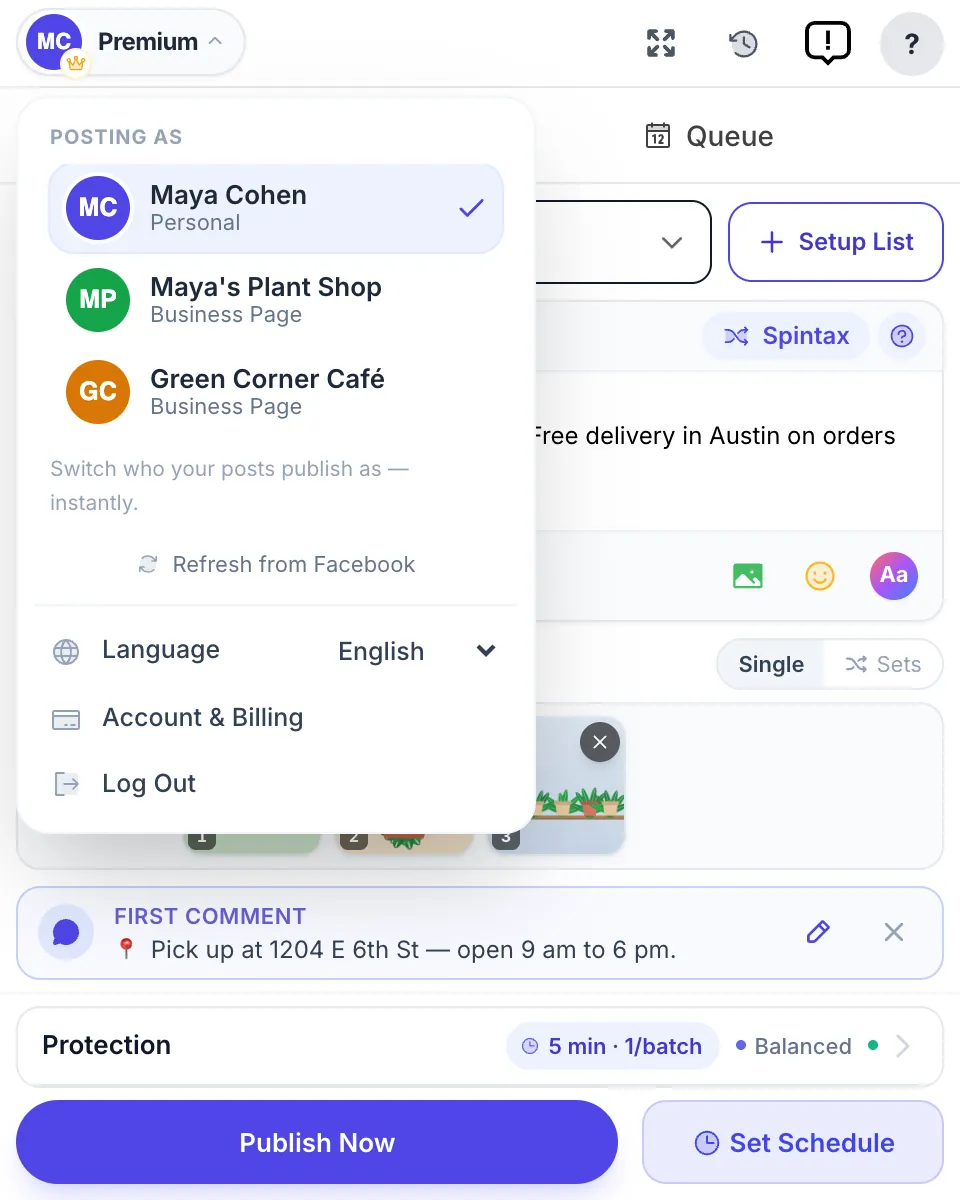
How it works
- In MultiGroupPoster, open "Posting as" and pick the Page.
- Pick the group list and write the post as usual.
- Publish. Every group in the run gets the post as the Page, with Fast or Safe.
Rules that apply
More detail and screenshots: Post in Facebook groups as your business Page.
- The Page must be a member of the group, and the group must allow Pages. If not, the result says "Usually the Page isn't a member", and you can join the group as the Page or post as yourself.
- A group that refused the last 2 posts from this Page is left out for 60 days. A "Try anyway" button sends it once more.
- The Page's own feed (and your own timeline) can be a target. Those always post with Fast.
- First and delayed comments go out as the Page too.
- Buy and sell listings cannot be sent as a Page: Facebook keeps Pages out of Marketplace.
- Runs as a Page use smaller batches and longer rests.
For AI agents: every docs page has a Markdown copy (add .md to the path), the whole section is indexed in /docs/llms.txt and /docs.json, and the MCP server is described on /docs/mcp/.