

Why links in the post body hurt your reach
Facebook makes money when people stay on Facebook. So its ranking quietly favors posts that keep users on-platform and dampens posts that push them away — and an external link in the body is the clearest “leaving now” signal there is. You’ll often see a link-in-body post reach a fraction of the people that the same post reaches without the link.
The workaround the best marketers use: keep the post link-free, and drop the link in the first comment.
The first comment is one of several ways to keep a link from dragging the post down; how to post links in Facebook groups without spam flags covers the rest, from shorteners to pacing.
Why the first comment works
- The post is pure native content — text, an image, maybe a question — so it gets normal reach.
- The first comment (pinned to the top by being first) holds your link, one tap away for anyone interested.
- People who care click through; the algorithm doesn’t punish the post for it.
It’s the single highest-leverage formatting change for link-driven Facebook group marketing.
It is one of five reach tactics compared in Facebook organic reach in 2026.
How to automate the first comment across every group
Adding a first comment by hand to one post is easy. Doing it to 30 group posts, right after each one publishes, is miserable — and easy to forget. This is exactly what automation is for.
In MultiGroupPoster you compose the post once, write the first comment once, and the extension adds both to every group in your bundle:
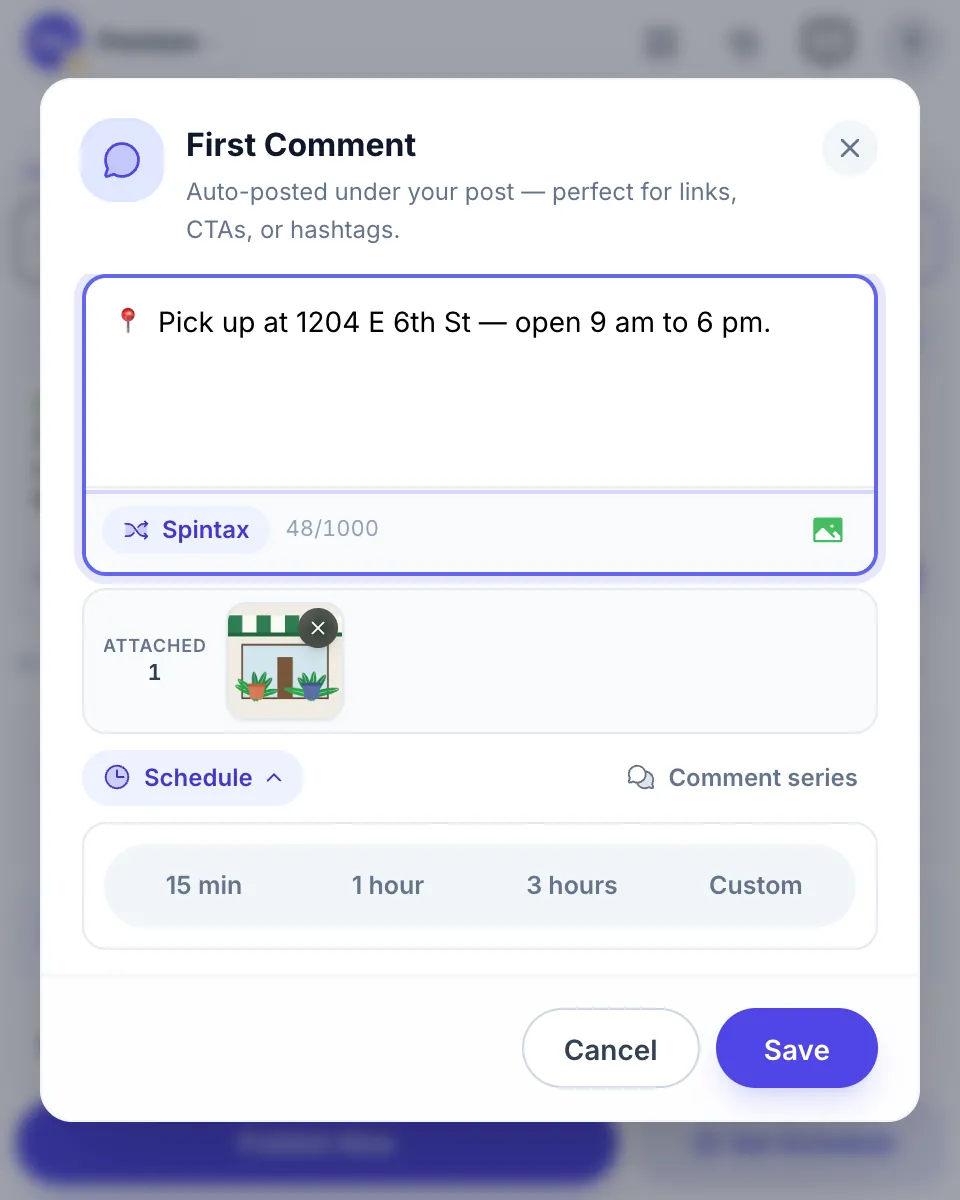
Because the post and comment go out together for every group, your link is always in the right place — without you babysitting dozens of tabs. The setup, and what the feature does and doesn’t comment on, is on the auto comment for Facebook group posts page.
Schedule the comment for later
You can also choose when the comment goes out: right after the post, or 15 minutes, 1 hour, 3 hours or your own time, up to 24 hours later. Each group gets it that long after its own post. A comment series adds up to 3 comments per post, each on its own time. This 53-second video shows it on the real extension:

Keep Chrome open and your computer awake until the comments go out. The full setup is on the auto comment page. The comment works with both posting methods, Fast and Safe, goes out under your Page’s name when you post as a Page, and can ride along when you share an existing post to your groups.
A comment that arrives an hour or a day later also counts as new activity, so it moves the post back up for members who sort the group by recent activity. That is the honest version of a bump, covered in how to bump a post in a Facebook group.
Keep it safe
The first comment itself is not a spam signal. What gets accounts restricted is how you post: too fast, or identical text everywhere. So pair the first-comment tactic with:
- Randomized pacing — see safe auto-poster settings.
- Unique wording per group — see the Spintax guide.
- A sane daily volume — see Facebook group posting limits.
Do that, and the first-comment tactic gives you the reach of a native post with the click-through of a link post.
FAQ
Does putting a link in the first comment really get more reach?
In practice, yes. Facebook’s ranking tends to suppress posts with external links in the body, because off-platform links keep people from staying on Facebook. Moving the link to the first comment keeps the post itself link-free, so it gets normal reach while your link is still one tap away.
Can I add the first comment automatically to every group?
Yes. A tool like MultiGroupPoster lets you write the post once and a first comment once, then posts both to every group in your list — so you don’t have to manually comment on dozens of posts.
Will Facebook flag me for the first comment?
A single, relevant first comment per post is normal behavior and is not itself a spam signal. What gets flagged is posting too fast or repeating identical text across many groups — so pace yourself and vary your wording.
Should the link ever go in the post body instead?
For native content (photos, a question, an offer described in text) the body is fine. Use the first-comment tactic specifically when the main goal is driving clicks to an external link.