

What is a Facebook color post?
When you write a short, text-only status, Facebook offers a row of colored and gradient backgrounds. Pick one and your post renders as large white text on that background — like a mini graphic — instead of a small line of text on a white card. In a fast-moving group feed, that difference is the difference between being scrolled past and being read.
The catch: the character limit
Colored backgrounds only show up when all of these are true:
- The post is text-only — no photo, video, or link attached.
- The text is short — roughly under 130 characters (about a sentence or two).
Add a photo or paste a link and the color picker disappears. That’s by design: the style is meant for quick status-style posts, not long-form content.
When color posts actually convert
Use them when the message is the content:
- Announcements — “New listing just dropped in South Tampa 🏡”
- Questions — “What’s the best neighborhood for first-time buyers here?”
- One-line offers — “Free home valuation this week — comment ‘VALUE’ 👇”
Skip them when you need a photo (listings, products) or an external link (use the first-comment tactic instead).
How to post a color post to many groups at once
The color picker is built into the composer. In MultiGroupPoster, tap the Aa button to pick a background, and the styled post goes out to every group in your bundle — with Spintax so each group sees a slightly different version:
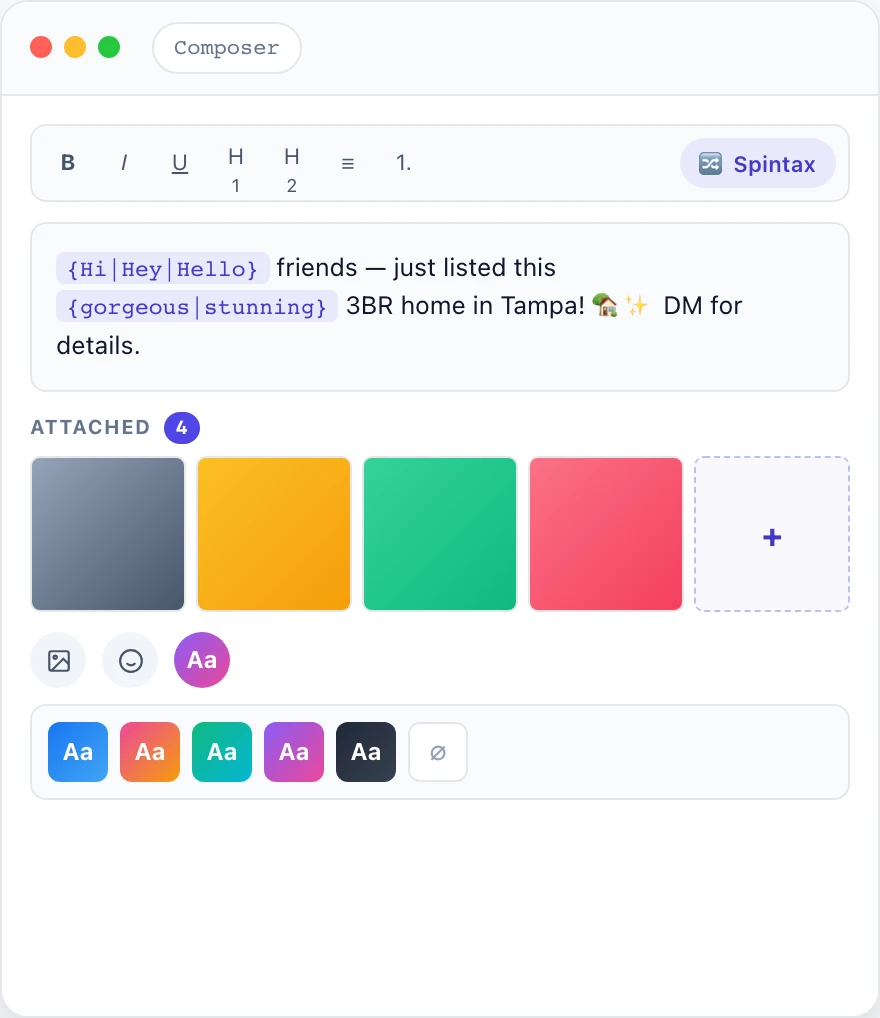
Because every group gets a unique variation, you get the scroll-stopping power of a color post without tripping Facebook’s duplicate-content filter.
Keep it safe
Color posts are short and text-only, which makes varying them important — identical one-liners across 20 groups is an obvious spam pattern. Combine them with Spintax variations, randomized pacing from safe settings, and a sane daily posting limit.